Star Alert
Jump to navigation
Jump to search
How to Sign Up for Star Alerts
1. Go to https://wsustaralert.bbcportal.com/
2. Click on Sign Me Up

.png)
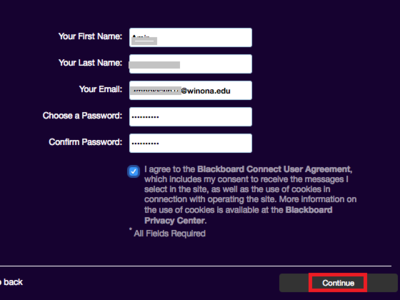
3. Fill in the form, click agree to the user agreement and then click Continue
.png)
NOTE: You will receive an email asking you to confirm the account, answer some security questions, then log back in.
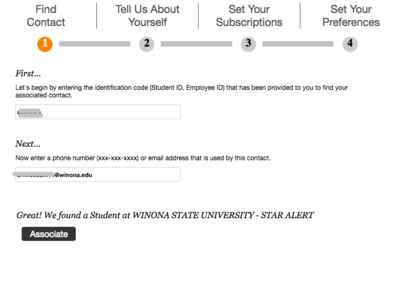
4. Enter your StarID and click Submit

.png)
5. Enter your phone number or friendly email address (ajohn15@winona.edu) and click Associate
.png)
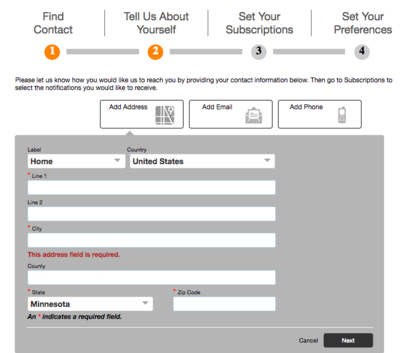
6. Fill in all the requested information and click Next
.png)
7. Set your preferences

.png)
8. You are now signed up to receive Star Alerts!